AI workflow automation means handing a repeatable, multi-step task to a system that runs it start to finish, with a person reviewing the output instead of doing every step. For a small business, the best first project is a task that repeats weekly, follows rules, moves data between tools, and eats time: client intake, document collection, data entry, or status reporting. Map the steps, automate one, measure it, then move to the next.
Most small businesses have tried AI by now. Half of the people working at companies with 2 to 499 employees use it at work. The problem is not adoption. The problem is that almost all of that use stops at the chat window, and the chat window is the smallest thing AI can do for a business.
This guide is about the next step: taking a real process and handing it to a system that runs it for you.
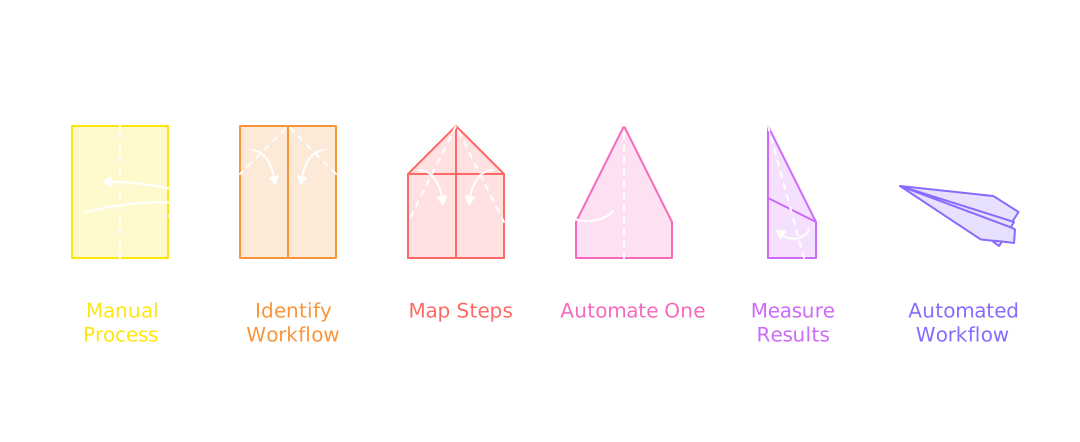
What AI workflow automation means
A workflow is a process with a beginning, a set of steps, and an end. Automating it means the process runs on its own when something triggers it, and a person steps in to review or decide rather than to do every step by hand.
Here's one example of how this differs. Say a new client fills out a form on your site.
- Using an AI chat tool, you'd copy their answers into a document, instruct AI to draft a welcome email, paste that into your email client, edit it, send it, then set yourself a reminder to follow up on the documents you need from them.
- With an automated workflow, the form submission creates the client record, drafts the welcome email in your voice, sends the document request, enriches the data, sends reminders on a schedule, and tells you when the file is complete and ready for your review.
Same AI. Completely different amount of your time involved.
50% of small business workers use AI at work. 64% use it for personal productivity and 26% on recurring tasks. Only 6% use it to automate a workflow with minimal human involvement.US Chamber of Commerce Foundation, Main Street AI Monitor, 2026, n=1,070
That 6% is the group getting real leverage. Everyone else is using a powerful tool for small tasks.
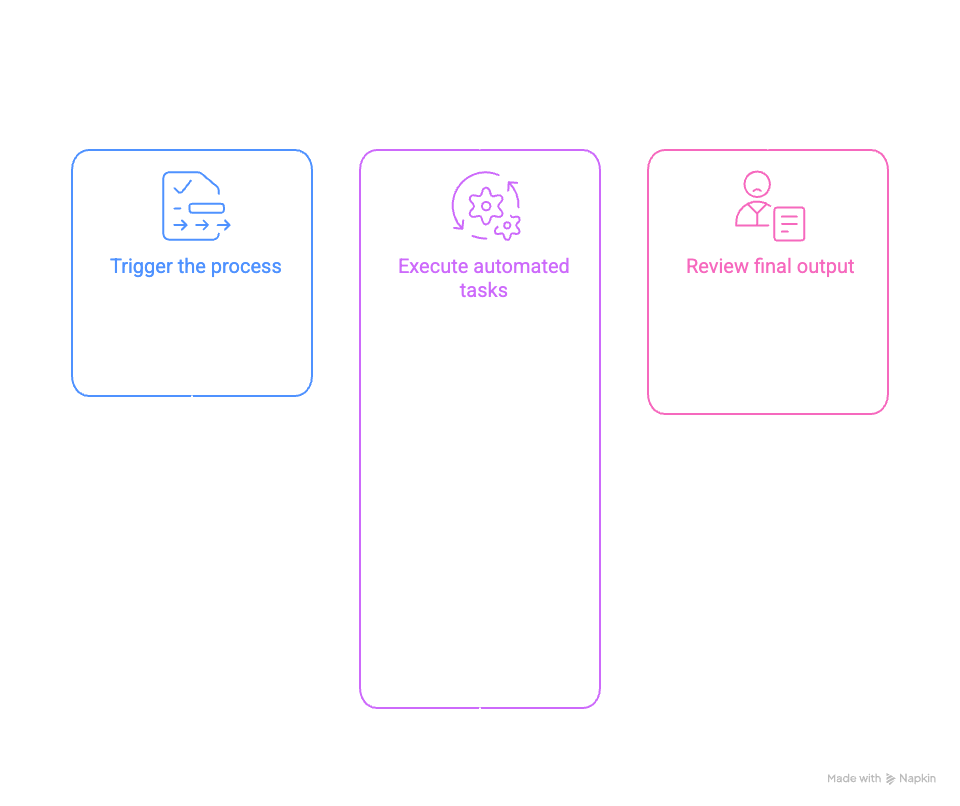
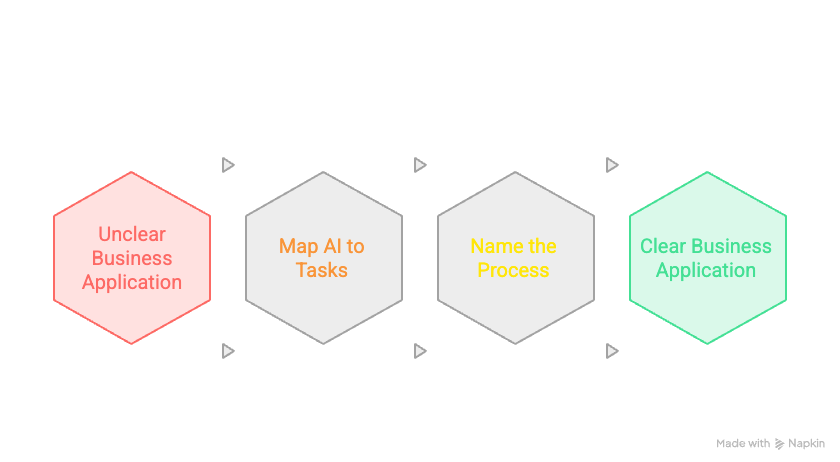
Why most businesses get stuck
The survey behind that number also asked non-adopters why they had not started. The top answer was not price. It was "unclear business application." People cannot see how AI maps to their actual work.
That's not a failure of imagination. It's a knowledge gap about the tools themselves. Most people know an AI chatbot, like Claude or ChatGPT, as a text box you have a conversation with. Fewer know that same AI can run as an agent inside a tool built for multi-step work, or get connected through an automation platform like Zapier or n8n that moves data between your other systems without you touching it. So the mental model stays "chat," and the leap to "this could run my intake process" never happens without someone pointing at the process and naming it.
Seeing that leap is most of the work. Once you can say "this task, these five steps, this result," the rest is build.
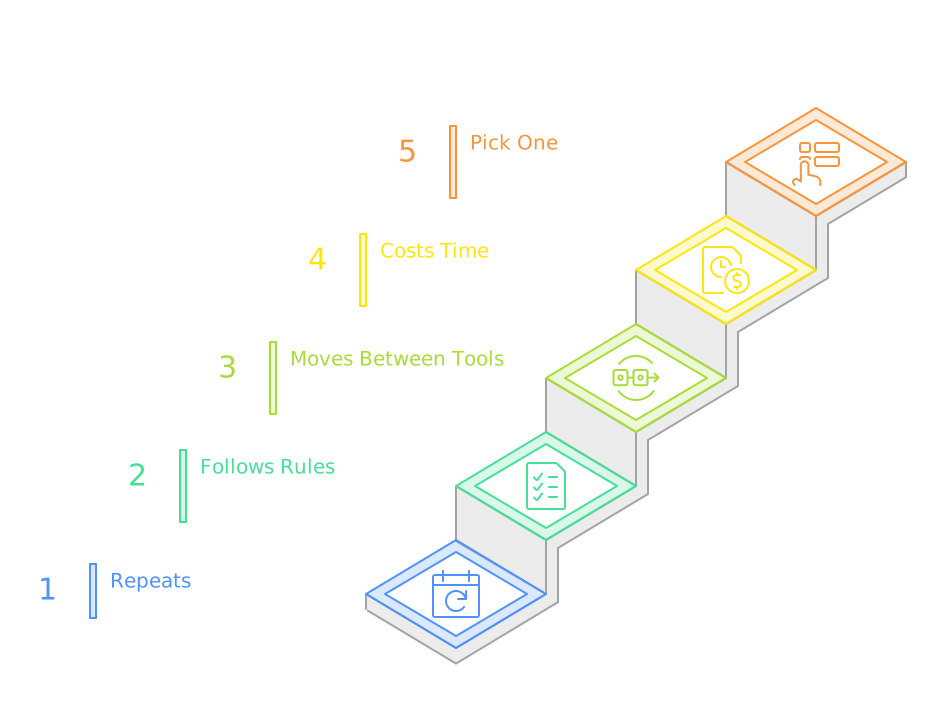
How to find your first workflow
You don't need a strategy engagement to identify a good first project. You need one task that matches all four of these tests:
- It repeats. You do it every week, every client, or every deal. One-off tasks are not worth automating.
- It follows rules. Someone could write down how to do it. If the task is pure judgment every time, AI can assist but not run it.
- It moves between tools. Email to spreadsheet to CRM to calendar. The copying and re-entering is where time leaks.
- It costs time you would rather spend elsewhere. If it is fast and painless, leave it alone.
Tasks that fit this pattern in almost every business:
- Client or lead intake. Form comes in, record gets created, first response goes out, follow-ups get tracked.
- Document collection. Knowing what is outstanding, from whom, and chasing it on a schedule until it arrives.
- Data entry and enrichment. Keeping a CRM or a system of record current without anyone typing into it.
- Recurring reports. The weekly or monthly summary that someone assembles by hand from three sources.
- Onboarding steps. The checklist that runs every time a new client or employee starts.
Pick one. Resist the urge to pick three.
How to run the first project without wasting money
Most AI projects that fail are for practical reasons. Here's how to avoid them.
Map the process first
Write down every step of the task as it happens, including the small ones: the tab you open, the thing you check, the person you ask. The map is what you automate. If you skip this and start with a tool, you will automate a version of the process that does not exist.
Check your data before you build
If the workflow depends on data that is messy, scattered, incomplete, or incorrect, prioritize fixing that first, or scope it into the project. AI does not clean up bad inputs. It moves faster on them, which is worse.
40% of small businesses have no full-time IT employee.IDC, 2026, survey of 2,700+ IT decision-makers
The practical rule: if the finished workflow needs a dedicated technical person to keep running, it is built wrong. It should run on tools your team already uses.
Keep a person in the loop on purpose
The goal is not to remove people. It is to remove the parts of the task that never needed a person: the copying, the checking, the remembering. Decisions, judgment calls, and anything client-facing and sensitive stay with a human by design.
Measure one number
Before you build, decide what you are measuring: hours saved per week, turnaround time, error rate, whatever matters for this task. Capture it before and after. A workflow you cannot measure is a workflow you cannot defend or improve.
Keep in mind that hours saved per week is table stakes now. Leadership, and boards especially if you've taken outside capital, want ROI from an AI strategy that goes deeper than a time-savings number.
Get it stable before you add the next one
A working workflow that your team trusts is worth more than three half-built ones. Ship one, let it run for a few weeks, fix what breaks, then move to the next item on the list.
What this costs
A single, well-scoped workflow is a small project. A full GTM AI program across your organization is a much larger and lengthier process. The mistake most organizations make is trying to do everything at once, before they've proven the approach works in their own business.
Building AI systems works a lot like agile development. You ship one process, prove it, then add the next piece on top of what's already running. Each addition builds on a system your team already trusts, instead of betting everything on a rollout nobody can debug when it breaks.
Aligned Intelligence starts every client with the AI Ignition Package. It averages about $3,500, runs about four weeks, and includes an AI Readiness Assessment, a prioritized opportunity audit that becomes your roadmap, and one live workflow built and handed to your team. From there, build-out happens in 90-day cycles against that roadmap. The point of starting small is that you get proof it works in your business before you spend more.
The takeaway
AI typically underperforms in small businesses for three reasons:
- Incomplete data as the foundational layer
- Siloed architecture
- Misalignment across the go-to-market teams
The businesses seeing compounding results started small and have nailed their repetitive processes, mapped them, automated, measured, and moved on to the next flow. That is the whole method. It is not complicated, and it does not require a technical team. It requires picking the first process and starting.
If you want a structured way to find yours, the AI Readiness Scorecard walks through where your business stands across data, tools, team habits, and process.
Common questions
What is AI workflow automation?
It is the use of AI to run a repeatable business process from start to finish. A workflow takes a trigger, such as a new form submission, runs several steps in order, and produces a result. AI handles the judgment-like steps such as classifying, drafting, or extracting, while a person reviews the output. This is different from a chatbot, which answers one prompt at a time and changes nothing about how work flows through the business.
What should a small business automate with AI first?
Pick a task that repeats often, follows rules someone could write down, moves data between tools, and costs time every week. Client intake, document collection, data entry and enrichment, and recurring reports fit this pattern in almost every business. Automate one, measure the time it saves, and only then add the next.
How much does AI workflow automation cost for a small business?
It varies with complexity. A single well-scoped workflow is a smaller project than a full program. Aligned Intelligence starts most clients with the AI Ignition Package, which averages about $3,500, runs about four weeks, and includes an assessment, a prioritized opportunity audit, and one live workflow. Larger build-outs are quoted after the audit.
Do I need a technical team to automate workflows with AI?
No. The build requires technical work, but running the result should not. A well-built workflow comes with documentation and a simple interface your team already knows, such as email, a form, or your existing CRM. 40% of small businesses have no full-time IT staff, so any solution that needs a dedicated engineer to keep it alive is the wrong solution.
Is AI workflow automation safe for client data?
It can be, but only if data handling is scoped before the build. That means choosing tools with the right data terms, limiting what the workflow can see, and keeping a log of what it did. Turning on a broad AI assistant across a messy shared drive is the common mistake, because it makes years of loose file sharing instantly searchable.
See where you stand
The GTM AI Readiness Assessment scores you across data, automation, AI depth, ownership, process, and GTM alignment, then names the one workflow to build first. About three minutes, no call needed.
Take the AssessmentPrefer to talk it through? Tell us what you're working on →